
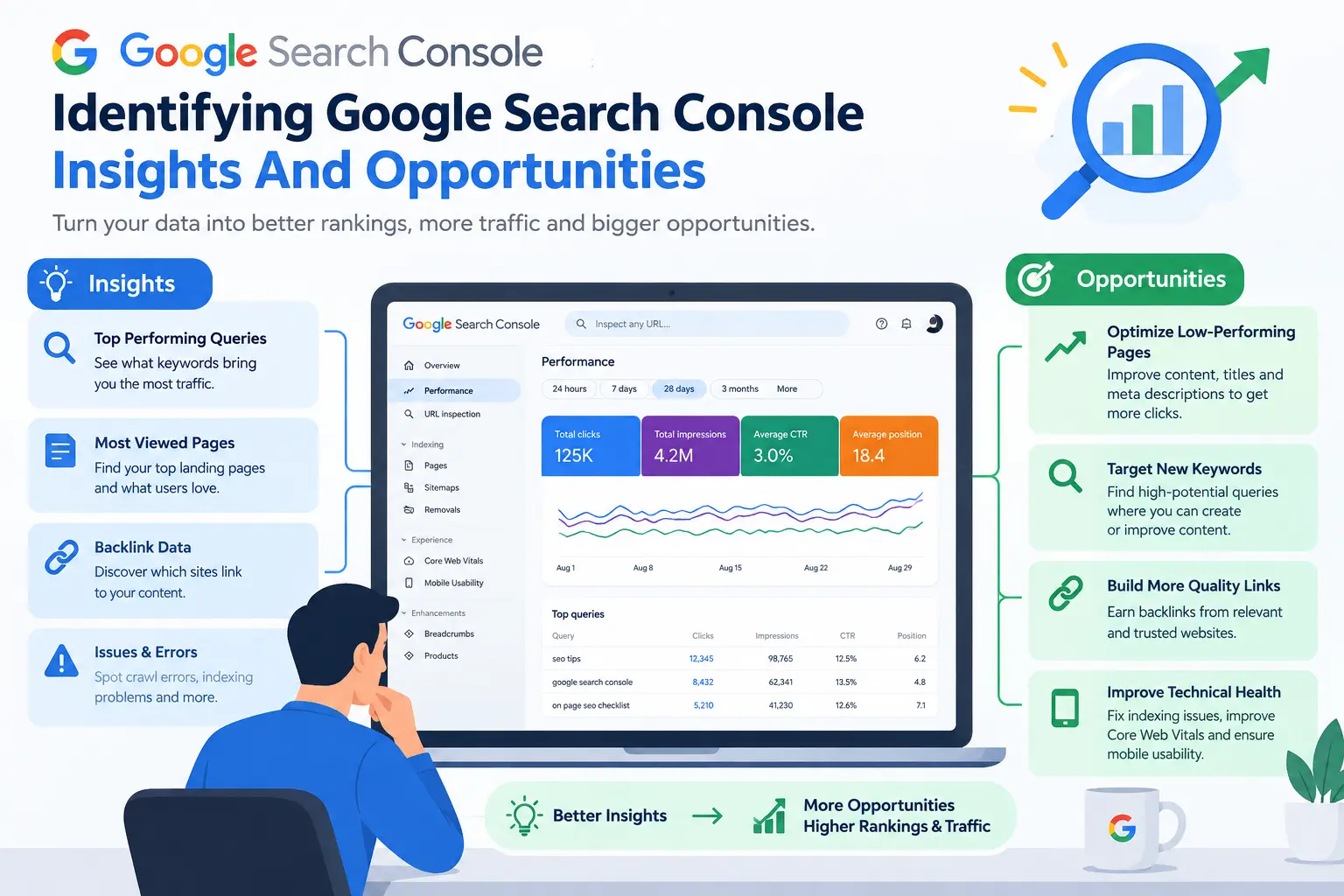
Google Search Console Insight
Google Search Console Insight is a useful way to understand how people discover and interact with your website through Google Search to identifying google search console. Google Search Console SEO insights provides valuable information about search performance, including clicks, impressions, queries, and pages that receive traffic.

By studying this information, website owners and SEO professionals can identify opportunities to improve content, increase visibility, and attract more visitors. Instead of guessing what users are searching for, you can use actual search data to make better SEO decisions.
What Is Google Search Console Insights?
Google Search Console Insights helps website owners understand the performance of their content and identify areas that may need improvement.
The information available through Google Search Console can help you answer important questions such as:
- Which search queries bring visitors to your website?
- Which pages receive the most clicks?
- Which keywords generate many impressions?
- Which pages have opportunities to improve their rankings?
- How are users discovering your content?
Understanding these patterns can help you develop a more effective SEO strategy.
How Google Search Console Insights Helps Find SEO Opportunities
One of the biggest advantages of Google Search Console Insights is that it provides real search data. This data can reveal opportunities that may not be obvious when you only look at your website.
For example, a page may already appear in Google for a particular keyword but receive very few clicks. This could indicate an opportunity to improve the page title, meta description, or content.
Similarly, a page ranking on the second page of Google may have potential to reach the first page with better optimization.
Analyze Search Queries with Google Search Console Insights
Search queries are one of the most valuable sources of SEO information.
The Performance report in Google Search Console shows the queries for which your website appears in search results. You can examine:
- Clicks
- Impressions
- Click-through rate (CTR)
- Average position
Look for keywords that receive a high number of impressions but relatively few clicks. These keywords may represent opportunities to improve your search snippet and make the page more attractive to users.
You can also identify queries where your page has a relatively good position but could potentially perform better with more relevant and useful content.
Find Underperforming Pages
Google Search Console Insights can also help you discover pages that are not performing as well as expected.
For example, a page may receive thousands of impressions but only a small number of clicks. This suggests that users are seeing the page in search results but are not choosing it.
Possible improvements include:
- Creating a clearer page title
- Improving the meta description
- Updating outdated information
- Better matching search intent
- Adding useful examples
- Improving content structure
The goal should be to make the page more useful and relevant rather than simply adding more keywords.
Identify Pages with Ranking Potential
Not every SEO opportunity requires creating a new page.
Sometimes an existing page already ranks for relevant searches but needs additional optimization.
Look for pages ranking around positions 5–20 for important queries. These pages may have potential to improve their visibility if they better satisfy the searcher’s needs.
Before making changes, examine the search results and understand what users expect from those queries. Then improve your page based on usefulness, relevance, and content quality.
Conclusion
So, this is how Identifying Google Search Console Insight can provide valuable information for finding SEO opportunities and improving website performance. By analyzing search queries, identifying underperforming pages, discovering content ideas, improving existing articles, and monitoring technical issues, you can make more informed SEO decisions.